Items and waste types
Keep what was wasted alongside the kind of waste, so totals can be understood in context.
THE VUEWISE PLATFORM
One hospitality food waste tracking workflow connects the people recording waste—including offline—with the people responsible for improving the operation.
01 / RECORD
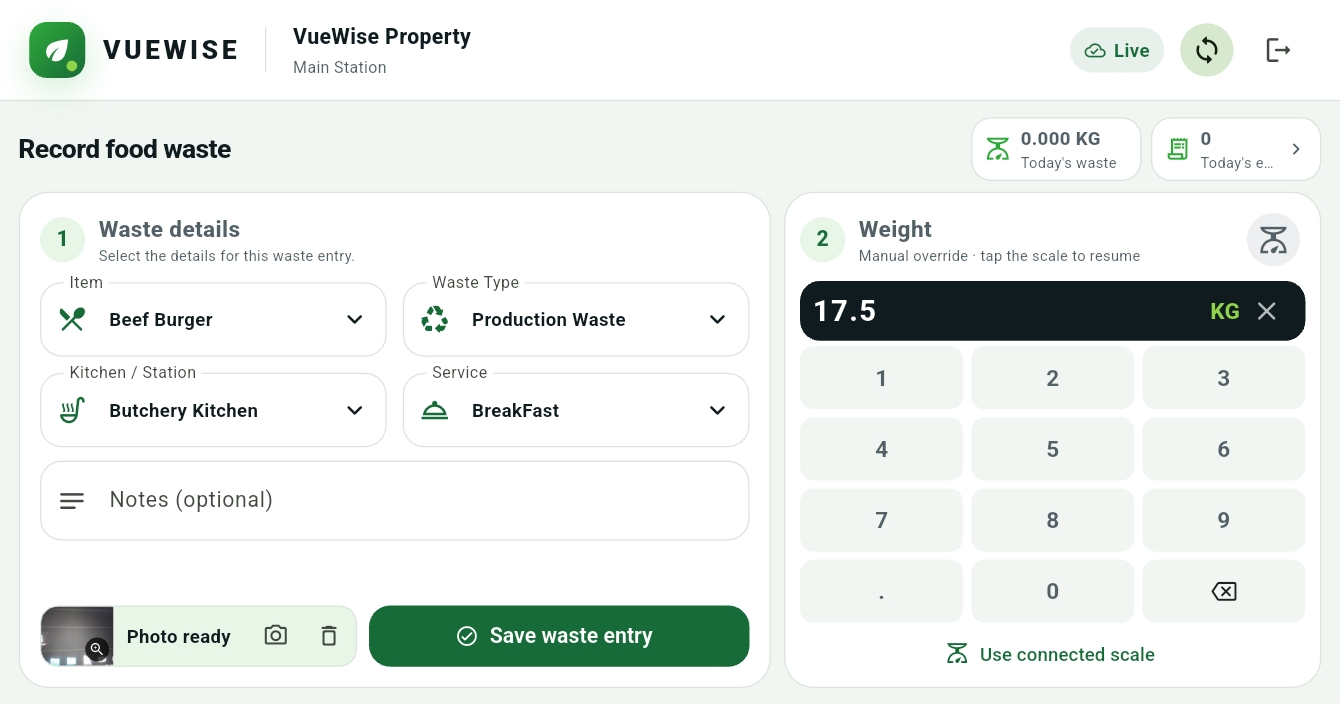
Choose the food item, waste type, kitchen and service. Enter the weight manually, then add notes or a photo where useful.
A FEW TAPS. A CLEARER PICTURE.
This tour highlights the supplied screenshot. Recording uses manual weight entry; scale connectivity shown in the interface is currently unavailable.
Actual VueWise interface. Manual weight entry is the current workflow; connected scale integration shown in the interface is not currently available.
Keep what was wasted alongside the kind of waste, so totals can be understood in context.
Connect each entry to the operation and service period it belongs to.
Start with a measured weight. Add context when a number alone cannot explain the entry.
02 / KEEP GOING
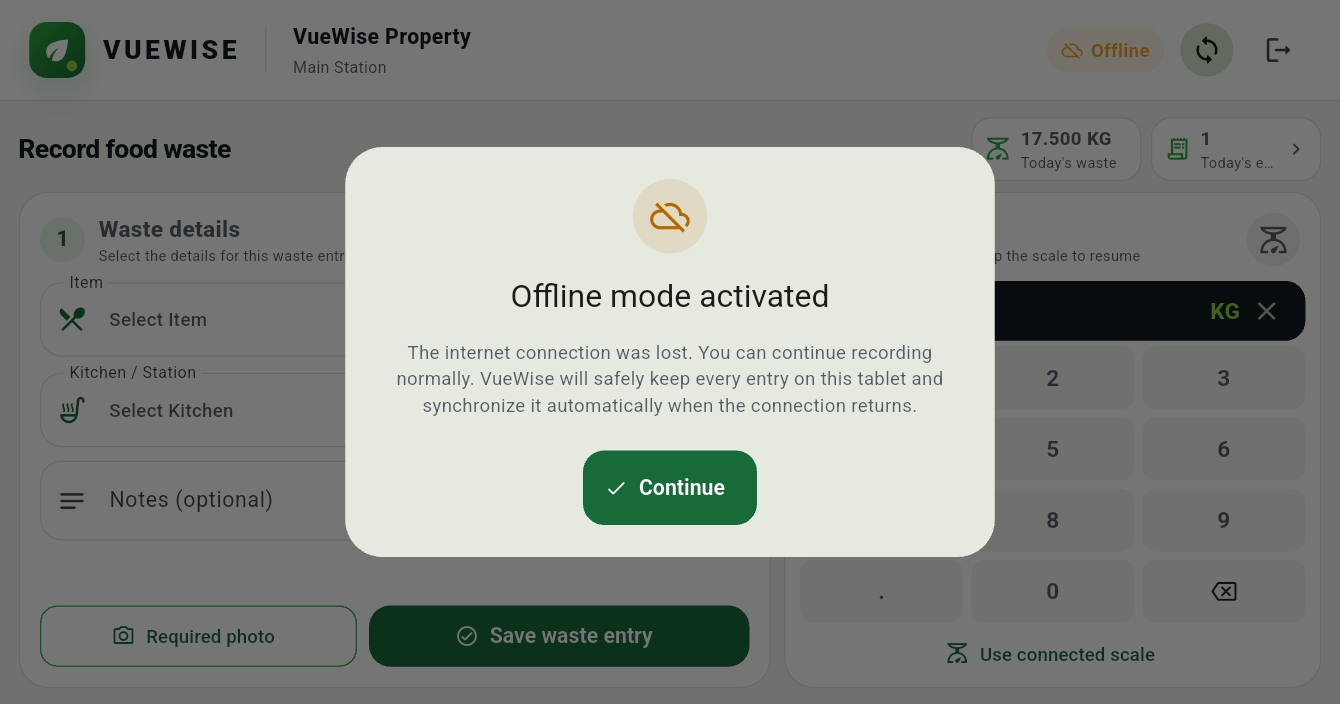
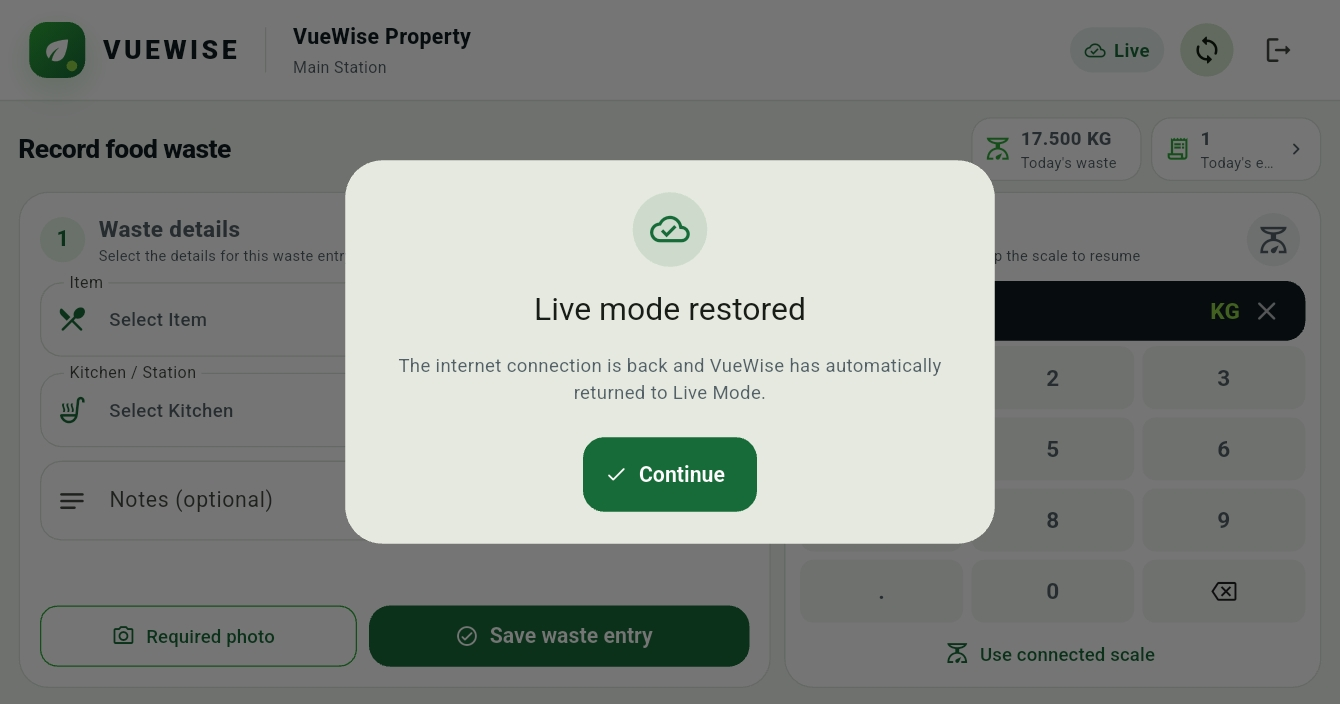
Offline entries stay in a local queue. VueWise synchronizes them automatically when the connection returns, with clear Offline and Live status.
Real product screenshots · Sequence illustrates the connection lifecycle
A busy kitchen can’t wait for Wi-Fi. An interruption starts the switch to Offline Mode.
Designed for operational continuity, even when connectivity is unpredictable.
03 / UNDERSTAND
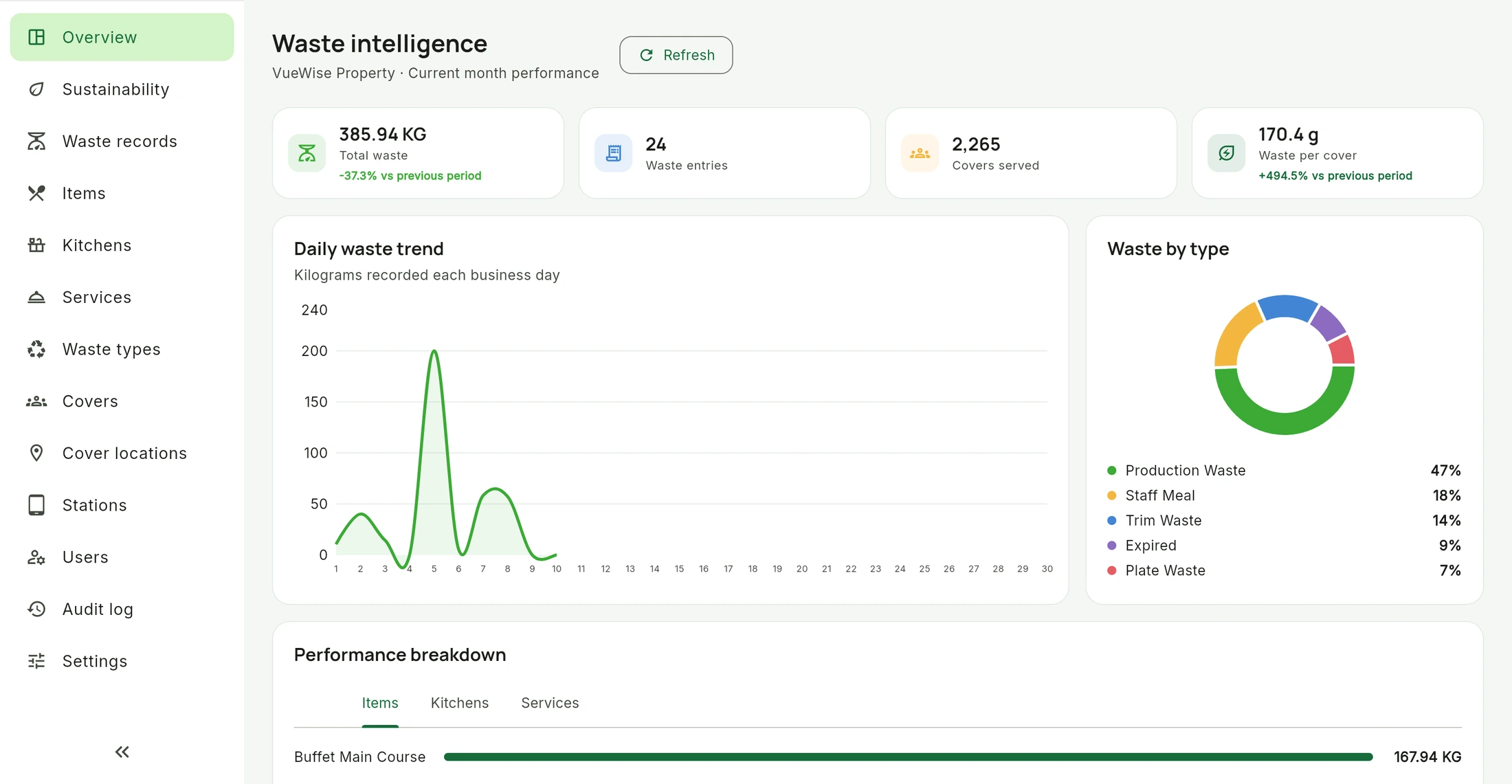
Dashboards and reporting help management review kitchens, services, items and waste types. Covers provide a second lens: waste per person served.
04 / ACT AND REVIEW
Start with a consistent comparison period and check the quality of the records.
Define a meaningful goal for the operation and keep progress visible.
Review records, agree operational actions and check whether performance changes over time. Decisions remain with your team.
A CLEARER VIEW STARTS WITH A CONVERSATION
Explore what better waste visibility could mean for your team.
Book a Demo